
TJCTF 2022 – forensics/fake-geoguessr
Given a photo, try to find where and when it was taken. Can we find any other info?
Prompt
Solution
Here, we are given this image of a lake:
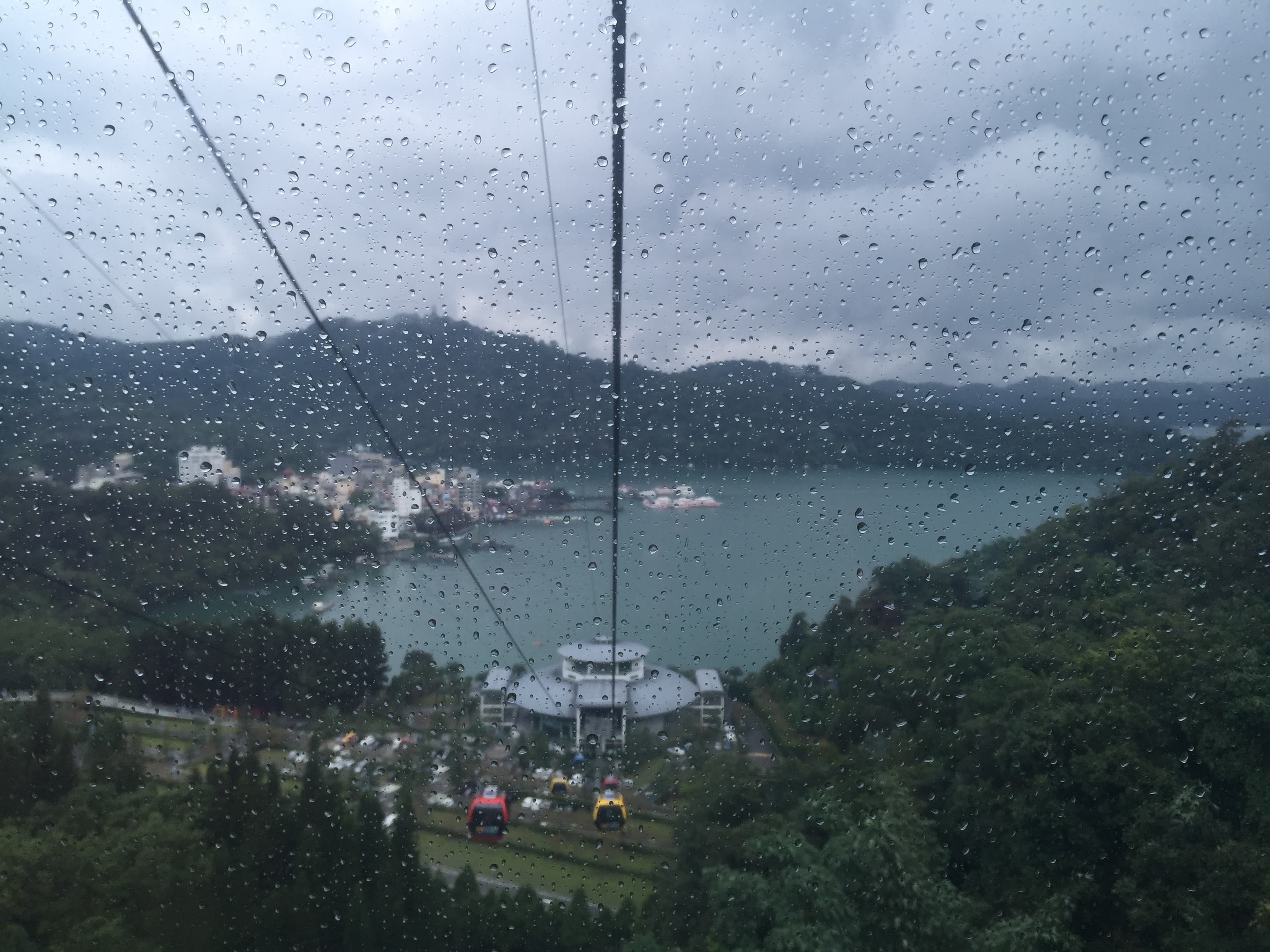
The prompt says that we can find when and where the image was taken. It also hints that there are some hidden content and also the camera model. Well, we just happen to know where we can look for that info – the image’s metadata!
This is where the camera would store those information and where the image viewer software will look at. On linux, we can use imagemagick’s identify program to get the detailed output of the metadata:
$ identify -verbose fake-geoguessr/lake.png
Image: fake-geoguessr/lake.png
  Format: JPEG (Joint Photographic Experts Group JFIF format)
  Mime type: image/jpeg
  Class: DirectClass
  Geometry: 3264x2448+0+0
  Resolution: 72x72
  Print size: 45.3333x34
  Units: PixelsPerInch
  Colorspace: sRGB
  Type: TrueColor
  ...
  Properties:
    comment: lot_of_metadata}
    date:create: 2022-05-17T01:37:43-04:00
    date:modify: 2022-05-17T01:37:06-04:00
    exif:ApertureValue: 193685/85136
    exif:BrightnessValue: 61097/7157
    exif:ColorSpace: 1
    exif:ComponentsConfiguration: 1, 2, 3, 0
    exif:Copyright: tjctf{thats_a_
    exif:DateTime: 2019:08:11 10:53:16
    ...
    exif:GPSHPositioningError: 5/1
    exif:GPSImgDirection: 7907703/32768
    exif:GPSImgDirectionRef: T
    exif:GPSInfo: 1836
    exif:GPSLatitude: 23/1, 51/1, 1272/100
    exif:GPSLatitudeRef: N
    exif:GPSLongitude: 120/1, 56/1, 1464/100
    exif:GPSLongitudeRef: E
    exif:GPSSpeed: 1058885/349467
    exif:GPSSpeedRef: K
    exif:GPSTimeStamp: 2/1, 53/1, 1600/100
    exif:GPSVersionID: 2, 2, 0, 0
    exif:ImageUniqueID: c479d245731c693a0000000000000000
    exif:LensMake: Apple
    exif:LensModel: iPhone 6 Plus back camera 4.15mm f/2.2
    exif:LensSpecification: 83/20, 83/20, 11/5, 11/5
    exif:Make: Apple
    exif:MakerNote: ...
    exif:MeteringMode: 5
    exif:Model: iPhone 6 Plus
    exif:Orientation: 1
    ...
  Artifacts:
    filename: fake-geoguessr/lake.png
    verbose: true
  Tainted: False
  Filesize: 692450B
  Number pixels: 7.99027M
  Pixels per second: 159.805MB
  User time: 0.040u
  Elapsed time: 0:01.050
  Version: ImageMagick 6.9.10-23 Q16 x86_64 20190101 https://imagemagick.org
I’ve truncated a lot of the details out, but we can see the exif:LensModel and related fields to find out that this image was taken with the back camera of an iPhone 6+, the exif:GPSLatitude and exif:GPSLongitude to find the location where the image taken, and most importantly for this challenge, the fields exif:Copyright and comment to find the two halves of the flag.
Flag
The flag is: tjctf{thats_a_lot_of_metadata}